A Beginner’s Guide to the Adobe Stock Library
To become an Adobe Stock contributor, you sign up for free with an Adobe account. Then you upload your photos to the Adobe Stock Contributor portal. Adobe reviews each image before it goes on sale. Designers then license your photos from inside apps such as Photoshop and Illustrator, as well as on the Adobe Stock website. You earn 33% of each photo sale, and Adobe pays you once your earnings reach $25. Adobe Stock is non-exclusive, so you can sell the same photos on other stock sites too.
If you want to sell photos on Adobe Stock, it’s a strong place to start. This guide walks you through how it works, what Adobe checks and what you can expect.
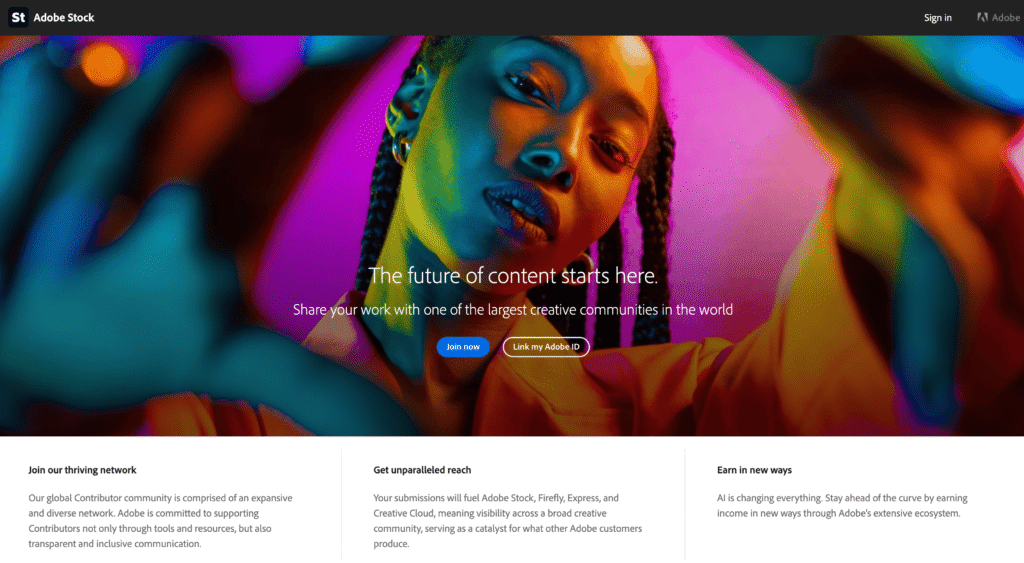
This blog covers everything a new Adobe Stock contributor needs to know:
- How the Adobe Stock Library reaches buyers
- How to sign up and get your first images approved
- The upload rules your photos need to meet
- How to write titles and keywords that Adobe ranks well
- How royalties and payouts work
- How Adobe Stock compares with Shutterstock.
Want to turn your photography into income – without starting from scratch?
Want to build a photography business that works around you, selling prints on Etsy and shooting for stock libraries?
🤍 Practical tips for selling your photography online.
💙 Straight-talking advice from someone who’s been there.
Sign up below and start making progress today. 👇🏻
Adobe Stock at a Glance
Here are the key facts for a new contributor in one place.
|
Cost to join |
Free, with an Adobe account |
|
Where buyers find you |
The Adobe Stock website and inside Adobe apps such as Photoshop |
|
Your royalty |
33% of each photo sale |
|
File types |
JPEG, 4 to 100 megapixels, up to 45 MB |
|
Keywords |
Up to 49, with the first 10 counting most |
|
Payout threshold |
$25, paid by PayPal, Payoneer or Skrill |
|
AI images |
Accepted only when you label them |
|
Exclusive? |
No, you can sell the same photos elsewhere. |
How the Adobe Stock Library Reaches Buyers
Adobe Stock’s biggest strength is where it sits. Designers already use Adobe apps such as Photoshop, Illustrator and InDesign every day. They can search Adobe Stock from inside those apps, then drop a watermarked preview straight into their design.
When the design is ready, the buyer licenses the image. The preview then swaps for your full-size file. So your photos sit right in front of buyers at the moment they need an image. That’s a big advantage for every Adobe Stock contributor.
It also means your files get used large, in print and on screen. So Adobe expects sharp, clean, well-exposed images.
How to Become an Adobe Stock Contributor
Signing up takes a few minutes. Here’s how to sell photos on Adobe Stock, step by step:
- Go to the Adobe Stock Contributor portal at contributor.stock.adobe.com. Log in with your Adobe ID, or create a free Adobe account.
- Add your tax details and payment account in your account settings.
- Upload your first photos as JPEGs.
- Add a title, keywords and a category to each image. Mark any releases you have.
- Submit your images for review.
Adobe doesn’t ask for a test batch. Instead, it reviews each image on its own. Review times also vary with how busy the queue is. After that, you’ll see a notification in the portal once Adobe approves or rejects each image.

What Adobe’s Reviewers Check
Adobe checks every Adobe Stock contributor’s images for three things: technical quality, commercial value and legal clearance. So reviewers look for sharp focus, good exposure and low noise. They also check for logos, brand names and recognisable people or property without a release.
Common Reasons Images Get Refused
- Soft focus or camera shake
- Too much noise or heavy editing
- Logos, trademarks or artwork in the frame
- A recognisable person with no model release
- Keywords that don’t match the photo
- Several near-identical shots of the same scene
A refusal isn’t the end. Adobe tells you the reason in the portal, so fix the problem and send the image again.
Upload Requirements for Adobe Stock Contributors
Every Adobe Stock contributor works to the same file rules. Get these right before you upload, and you’ll save yourself a lot of refusals:
- JPEG files only, in the sRGB colour space
- At least 4 megapixels and no more than 100 megapixels
- A maximum file size of 45 MB
- No watermarks, borders or text added to the photo.
You can read the full list on Adobe’s photo submission requirements page.
Model and Property Releases
Any recognisable person in a commercial photo needs a signed model release. Also, some private property, branded products and artworks need a property release. Without one, buyers can only use the image for editorial purposes, which means fewer sales.
So, as an Adobe Stock contributor, get releases signed at the shoot. It’s far easier than tracking people down weeks later.
AI-Generated Images
Adobe Stock accepts images made with generative AI, but only when you label them as AI-generated during upload. They must also follow Adobe’s rules on people, brands and real places. If your photos are real camera images with normal editing, you don’t need the label.
-
How Shutterstock Works for Photographers: A Simple Guide
How the Shutterstock Library Works for Photographers. Here is how Shutterstock works for photographers. You upload your photos to the Shutterstock library, and Shutterstock reviews each one before it goes on sale. Buyers then license your images, mostly through monthly subscriptions or image packs. You earn a royalty of 15% to 40% on each download,…
Titles and Keywords for Adobe Stock Contributors
Your title and keywords are your metadata, and they’re how buyers find your photos. Adobe Stock works slightly differently from other libraries here, because the order of your keywords matters.
Write a Short, Clear Title
Your title should describe the photo in plain words, ideally in under 70 characters. Also avoid camera details, brand names and the names of real people. For example: “Autumn leaves on a rustic wooden table with copy space”.
Put Your Best Keywords First
You can add up to 49 keywords. But Adobe gives the most weight to the first 10. So put the words that best describe the photo at the top of your list.
Here is a set for that autumn leaves photo, with the 10 most important first:
Keywords: autumn leaves, autumn, leaves, wooden table, copy space, background, orange, red, rustic, seasonal, flat lay, fall, October, nature, texture, still life, top view, warm colours
Use each keyword once, and only add words that match the photo. In fact, a tight set of 25 to 30 accurate keywords often works better than 49 loose ones.
How Much Does an Adobe Stock Contributor Earn?
Adobe keeps its royalty simple for every Adobe Stock contributor. You earn 33% of the net price the buyer paid for each photo licence. Unlike Shutterstock, that rate doesn’t change with your sales, and it doesn’t reset each January.
Subscription and On-Demand Sales
Many Adobe Stock buyers have a subscription, so each download earns you a smaller amount. Buyers who purchase single images or credit packs pay more per licence, so those sales earn you more. As a result, your total per month depends on how many images you have and how often they sell. You can track your sales and earnings in your Contributor dashboard.
Minimum Guarantees for Experienced Contributors
Once you pass 1,000 lifetime licences, Adobe guarantees a minimum per download on standard subscription plans. That is $0.36 per licence from 1,000 licences, rising to $0.38 from 10,000. You can read the details on Adobe’s royalty page.
Getting Paid as an Adobe Stock Contributor
Adobe calculates your royalties in US dollars. You can request a payout once you have at least $25. At least 45 days must also have passed since your first sale. After that, Adobe pays through PayPal, Payoneer or Skrill.
Add your tax form before your first payout. Without a valid form, Adobe can hold back up to 30% of your earnings. For example, US contributors complete a W-9, and UK contributors complete a W-8BEN. Then keep a record of every payout for your tax return.
The first image I sold on Adobe Stock was a Union Jack flag fixed to a wooden post at the side of the road. I was driving home from a photo shoot when I spotted it. I pulled over and turned back. Then I spent the next 20 minutes taking shots from different angles, with and without copy space.
Since then, I’ve known that buyers want everyday scenes with space for text.

Adobe Stock vs Shutterstock for Contributors
Most photographers upload to both. Here is how they compare:
|
Adobe Stock |
Shutterstock |
|
|---|---|---|
|
Royalty |
33% on photos |
15% to 40%, based on sales in the year |
|
Resets each year? |
No |
Yes, every 1 January |
|
Keywords |
Up to 49, first 10 count most |
7 to 50 |
|
Payout |
From $25 |
A minimum you set |
|
AI Images |
Accepted when labelled |
Not accepted from contributors |
Both are non-exclusive, so the same photo can earn on each one. My guide on how Shutterstock works for photographers covers its side in full.
What Photos Sell Best on Adobe Stock?
As an Adobe Stock contributor, you sell mostly to designers and marketing teams. So these types of images tend to do well.
- Business and workplace scenes
- Everyday lifestyle images of real people
- Backgrounds and textures with space for text
- Food, interiors and well-being
- Technology in use, such as phones and laptops
- Seasonal images, uploaded well before the season starts.
Natural, candid images often sell better than stiff, posed ones. So aim for real moments, and leave copy space wherever you can.
Why Etsy Prints Work Alongside Adobe Stock
On Adobe Stock, the library sets the price and pays you a share. On Etsy, by contrast, you set the price for your prints and keep what’s left after your costs. So the two work well together.
Your flower, countryside and wildlife images can earn as stock and sell as wall art. Do you want to try selling prints too? My free Etsy resources for photographers are the best place to start.
Adobe Stock Contributor FAQs
Yes. You only need a free Adobe account to join and upload. Adobe takes its share when one of your images sells, and you earn 33% of each photo sale.
No. You only need an Adobe account. You can edit your photos in any software, as long as you save them as JPEGs that meet Adobe’s requirements.
It varies with how busy the review queue is. Adobe reviews each image on its own and notifies you in the Contributor portal once it approves or rejects it.
You can add up to 49 keywords to each image. Adobe gives the most weight to the first 10, so put your most accurate keywords at the top.
You can request a payout once you have $25 in royalties. At least 45 days must also have passed since your first sale. Adobe pays through PayPal, Payoneer or Skrill.
Go to contributor.stock.adobe.com and log in with your Adobe ID, or create a free Adobe account. Then add your tax and payment details in your account settings before you upload.
Adobe doesn’t offer a separate contributor app. You upload and manage your photos through the Contributor portal in your web browser, which also works on a phone or tablet.
Yes, if they meet Adobe’s requirements. Each photo needs at least 4 megapixels, and it must be sharp, well lit and low in noise to pass review.
Yes. Adobe Stock is non-exclusive, so you can upload the same photos to Shutterstock, Alamy and other libraries. You can also sell them as prints on Etsy.
Ready to Become an Adobe Stock Contributor?
Sign up this week and choose ten of your sharpest images. Write a short title for each one, put your ten best keywords first, then submit them for review. That first batch shows you how Adobe’s review works, and your portfolio grows from there.
Do you want help with what to shoot next? My free stock photography resources are a good first step. When you’re ready for a full plan, the Start-to-Scale Stock Photography Guide takes you from your first upload to steady sales. You can find all my stock tools in the Build Your Stock Portfolio collection.
Nicky x

